 Line Builder
Get your kitchen running off one screen. Free while we test it.
What it is.
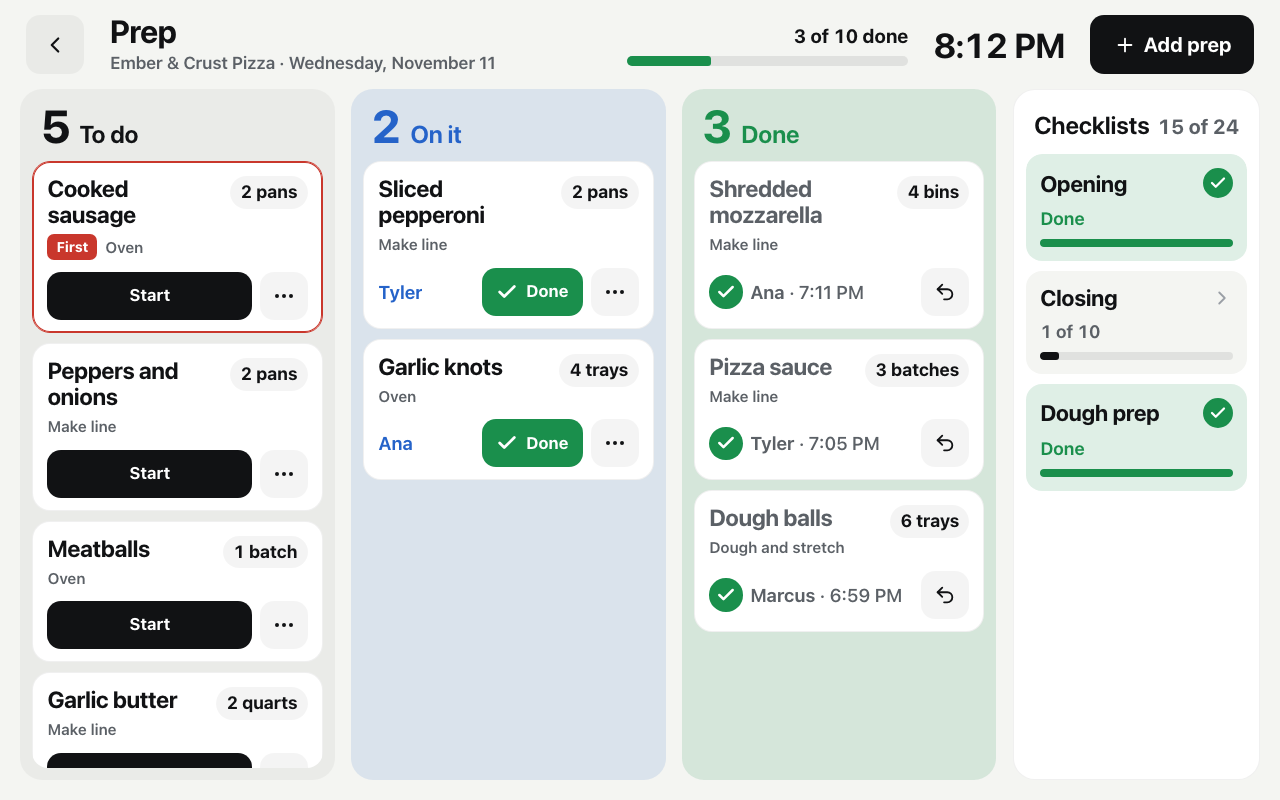
A tablet on the wall shows what to prep today, how much, who has it, and what's done. Your opening and closing lists sit right next to it. I'm looking for 5 restaurants to test it. It costs nothing right now, there's no card and no contract, and I set it up with you.
The screen above is the real one, shown with a sample pizza shop.
The prep list is in somebody's head.
Or it's on a clipboard nobody looks at. So you walk in and ask the same questions every day. Did the sauce get made. Who's on dough. Did anyone do the closing list last night.
Line Builder puts the answers on the wall, where the whole crew can see them.
One look tells you where the day stands.
What to prep, and how much
Every job for today with the amount: 2 pans, 4 trays, 3 batches. Mark the one that has to happen first.
Who has it
Tap Start, pick your name. Now everyone knows it's handled and nobody makes it twice.
Finished, with a name and a time
Tap Done. It turns green and shows who finished it and when.
Checklists next to it
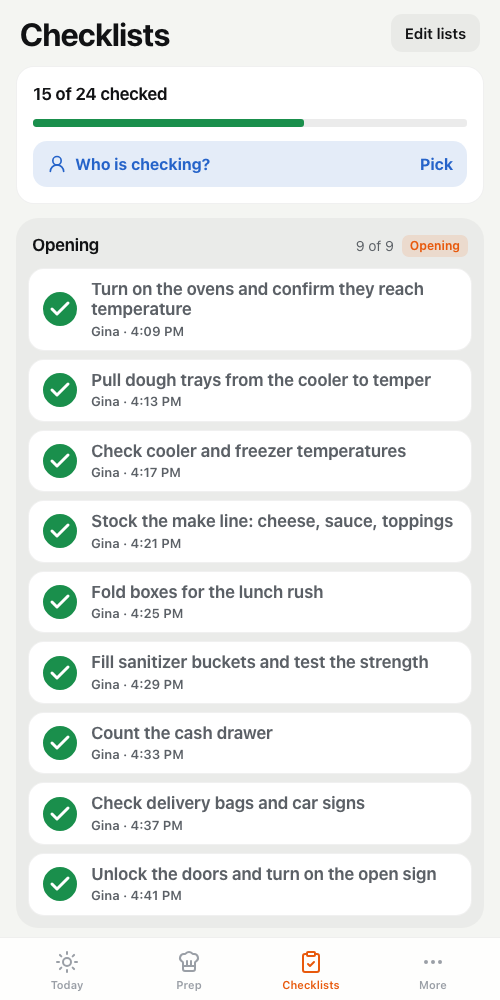
Opening, closing and cleaning, checked off on the same screen. Each check shows who did it and when.
It builds itself every morning
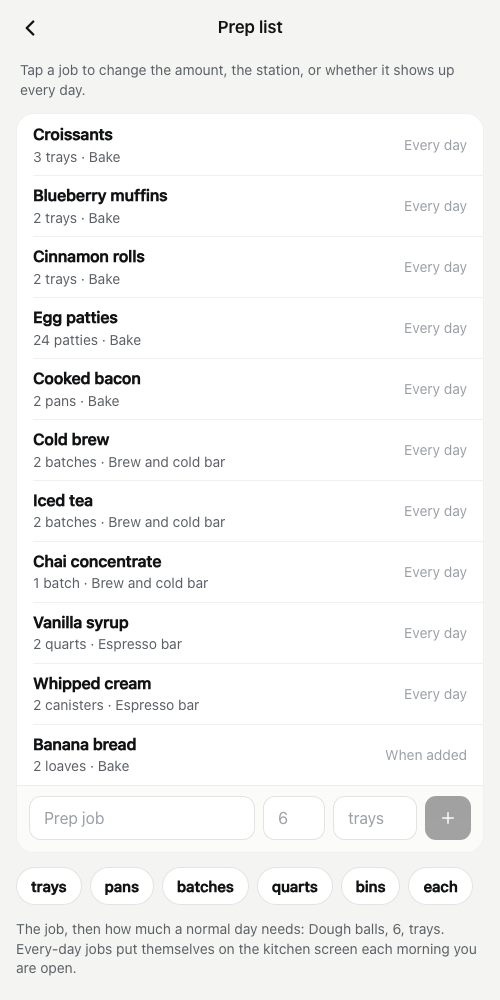
Set your everyday prep once. The board fills in on its own each day you're open.
You set it up from your phone.
Your hours, your team, your stations, your prep list, your checklists. Change an amount on your phone and the kitchen screen changes with it.
And you can finally see who did what.
This part is on your phone, and only you see it. It is not up on the wall.
No photo, no check
Pick the jobs that matter: the grill, the fryer, the line fridge. They can't be checked off without a picture. You look that night, not at 6 the next morning.
Who did the work
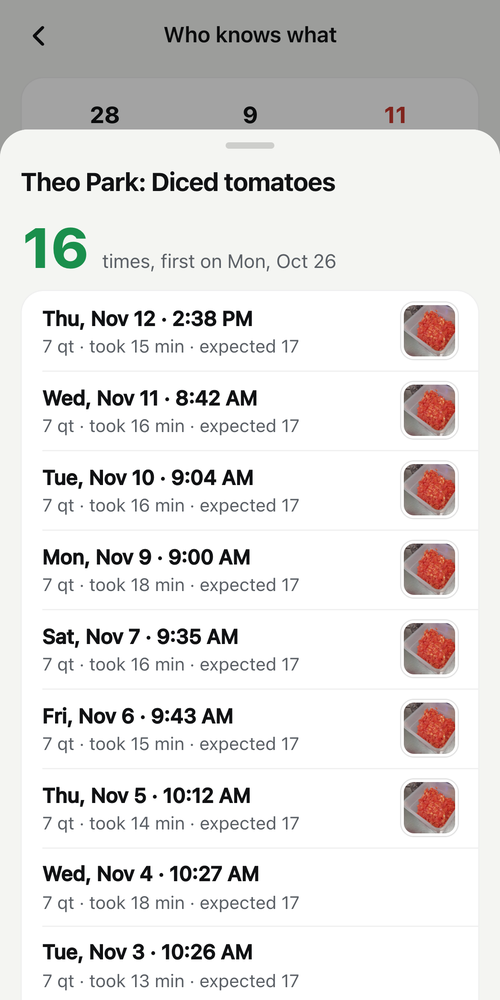
Every job has a time it should take. At the end of the shift you see what got done, how long it took, and each person's share of it, against the goal you set.
"Nobody told me how to do this"
Every time someone finishes a job it's saved with their name, the day and the time. You also see who has never done a job, so you know who to train.
A how-to behind the job
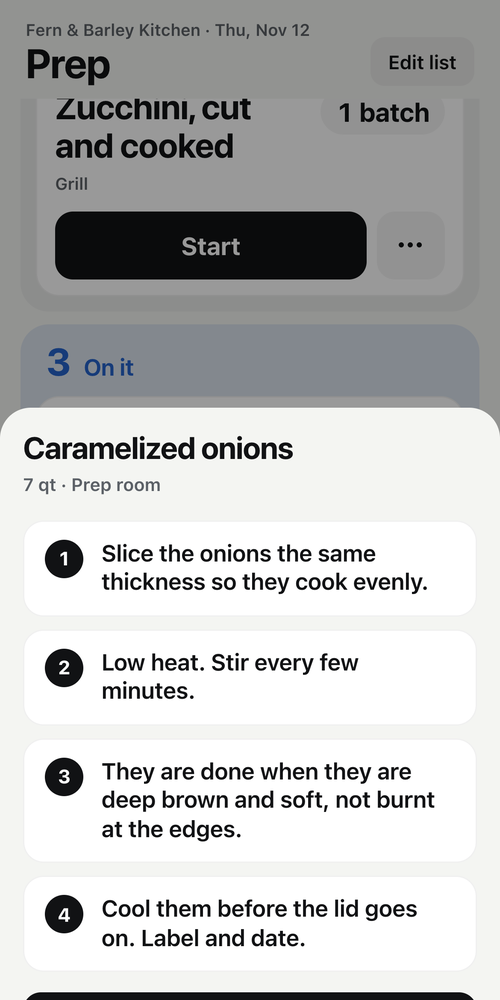
Write the steps once, in your own words. A new person taps "How to" on the job and reads them. Nobody has to ask.
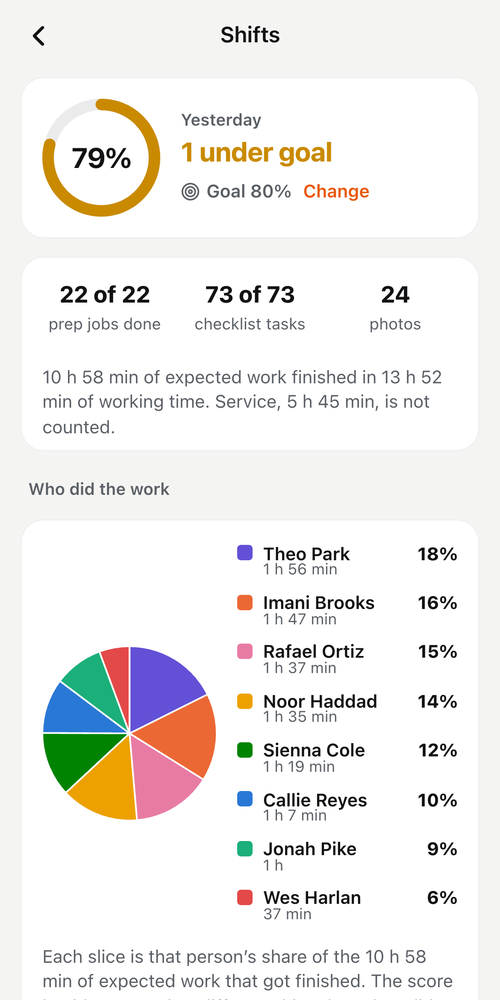
Shown with a sample kitchen. The names are made up.
How testing it works.
- You ask.Fill in the short form below. I'll get back to you myself.
- We set it up together.We put in your prep list and your checklists and get the screen up in your kitchen. I do it with you.
- Your crew runs the day off it.I check in with you while you test it and fix what isn't working.
- You decide.There will be a monthly price later. You'll hear the number before you're asked to pay anything, and you can say no.
The offer.
- It costs nothing right now. No monthly fee while we test it.
- I set it up with you. You're not left with a login and a help page.
- No card and no contract.
- 5 restaurants only, so each one gets my time.
- What I ask back: tell me straight what works and what doesn't. If it helped, let me share a few words from you.
Ready? It takes about 30 seconds.
Ask to test it freeQuestions.
- What does it cost?
- Right now, nothing. There will be a monthly price later, and it isn't set yet. The first 5 restaurants help me set it. You'll hear the number before you're asked to pay anything, and you can say no.
- What do I need?
- A tablet for the kitchen wall and your phone. We'll sort out the tablet together when we set up.
- Does it need my register or POS?
- No. It doesn't read your sales and it doesn't touch your register.
- Does my crew need accounts?
- No. The kitchen tablet has no email or password on it. They tap their name.
- Who's behind this?
- I'm Gregg. I've owned a restaurant for 14 years, and my own kitchen runs its day off wall tablets. Line Builder is that idea built for your place.
- Is it in the App Store?
- Not yet. While it's being tested, I set it up with you directly.